1 / 3
–
Rating
0 Ratings
500
Downloads
10.1K
Views
0
Thanks
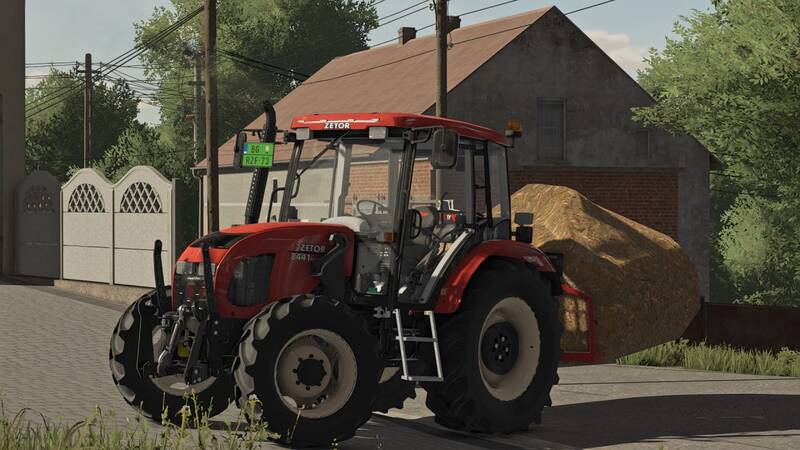
Enhance your Farming Simulator 22 experience with these custom shaders! Follow the detailed instructions to install and configure the shaders for a more immersive visual experience. Enjoy the improved lighting and effects! ????
⛔️**Instructions**⛔️
1. Install the **Additional Game Settings** mod:
*[Link to mod](https://www.farming-simulator.com/mod.php?lang=en&country=fi&mod_id=229499)
2. Install **Reshade**:
* Select **Giants Engine 9.0.0.0** and **DirectX10,11,12**
* Choose the preset from the **x64** folder and install the effects (or install all effects for simplicity).
3. Copy the **FS22_additionalGameSettings** folder to:
* `C:\User\Documents\My Games\FarmingSimulator2022\modSettings` and replace it.
4. Copy the **x64** folder with the **Shader11.ini** file to:
* `Program Files (x86)\Steam\steamapps\common\Farming Simulator 22`
5. Launch the game, press the **Home** button, and select **Shader11.ini**.
6. In the **Addons** tab, select your resolution.
7. In-game, press **ESC**, go to **Additional Settings**, and set **Custom lighting** to **Elmcreek**.
⛔️**Instructions**⛔️
1. Install the **Additional Game Settings** mod:
*[Link to mod](https://www.farming-simulator.com/mod.php?lang=en&country=fi&mod_id=229499)
2. Install **Reshade**:
* Select **Giants Engine 9.0.0.0** and **DirectX10,11,12**
* Choose the preset from the **x64** folder and install the effects (or install all effects for simplicity).
3. Copy the **FS22_additionalGameSettings** folder to:
* `C:\User\Documents\My Games\FarmingSimulator2022\modSettings` and replace it.
4. Copy the **x64** folder with the **Shader11.ini** file to:
* `Program Files (x86)\Steam\steamapps\common\Farming Simulator 22`
5. Launch the game, press the **Home** button, and select **Shader11.ini**.
6. In the **Addons** tab, select your resolution.
7. In-game, press **ESC**, go to **Additional Settings**, and set **Custom lighting** to **Elmcreek**.
Comments
You must be logged in to comment.
No comments yet.