1 / 2
Virus checked
v1.0.0.0 latest
Free Mod
Know Your Limits
–
Rating
0 Ratings
7
Downloads
577
Views
0
Thanks
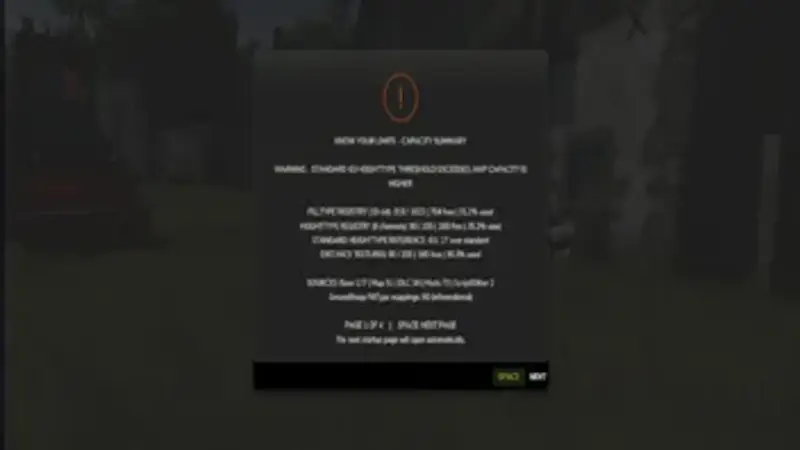
Know Your Limits is a read-only diagnostic tool for Farming Simulator that helps players understand and monitor three separate capacity limits within the game.
Three Monitored Limits:
Identify Contributing Sources:
The detailed report identifies all contributing sources, including the base game, active map, installed DLCs, installed mods, scripts, and other sources. Whenever possible, the player-visible name of each source is shown, along with the number of FillTypes and distance texture entries it contributes.
How to Use:
Once the savegame is fully loaded, a brief status overview appears. Press SPACE to dismiss it. The full report can then be opened with the key combination Right Alt + 3. Inside the report, press SPACE to navigate through the pages – the last page closes the report. The keybind is registered as its own remappable action called "Open Complete Know Your Limits Report" and can be reassigned in the game's control settings.
Safe and Read-Only:
This mod does not increase or alter any game limits. It never adds, removes, replaces, or reorders FillTypes, HeightTypes, or distance textures. Its sole purpose is to show players how much capacity remains and to reveal what is contributing to each monitored limit.
Three Monitored Limits:
- FillType Register: Displays the current usage and the capacity reported by the game in real time.
- HeightType Register: Shows the usage and capacity of the active map while also tracking the well-known default reference value of 63.
- Distance Texture Pool: Monitors the separate hard limit of 255, which is associated with the log error "Using too many distance textures".
Identify Contributing Sources:
The detailed report identifies all contributing sources, including the base game, active map, installed DLCs, installed mods, scripts, and other sources. Whenever possible, the player-visible name of each source is shown, along with the number of FillTypes and distance texture entries it contributes.
How to Use:
Once the savegame is fully loaded, a brief status overview appears. Press SPACE to dismiss it. The full report can then be opened with the key combination Right Alt + 3. Inside the report, press SPACE to navigate through the pages – the last page closes the report. The keybind is registered as its own remappable action called "Open Complete Know Your Limits Report" and can be reassigned in the game's control settings.
Safe and Read-Only:
This mod does not increase or alter any game limits. It never adds, removes, replaces, or reorders FillTypes, HeightTypes, or distance textures. Its sole purpose is to show players how much capacity remains and to reveal what is contributing to each monitored limit.
Comments
You must be logged in to comment.
No comments yet.